
亞馬遜Kindle商店 購買選項不見了?
如果您想在亞馬遜購買Kindle電子書,卻發現購買選項不見了,而只看到「The Kindle title is not currently available for purchase」,那是因為由於技術原因,Kindle商店上的電子書都有區域綁定,您的亞馬遜賬號不在指定區域內。但無需擔心,這不難解決,請按照以下步驟操作。
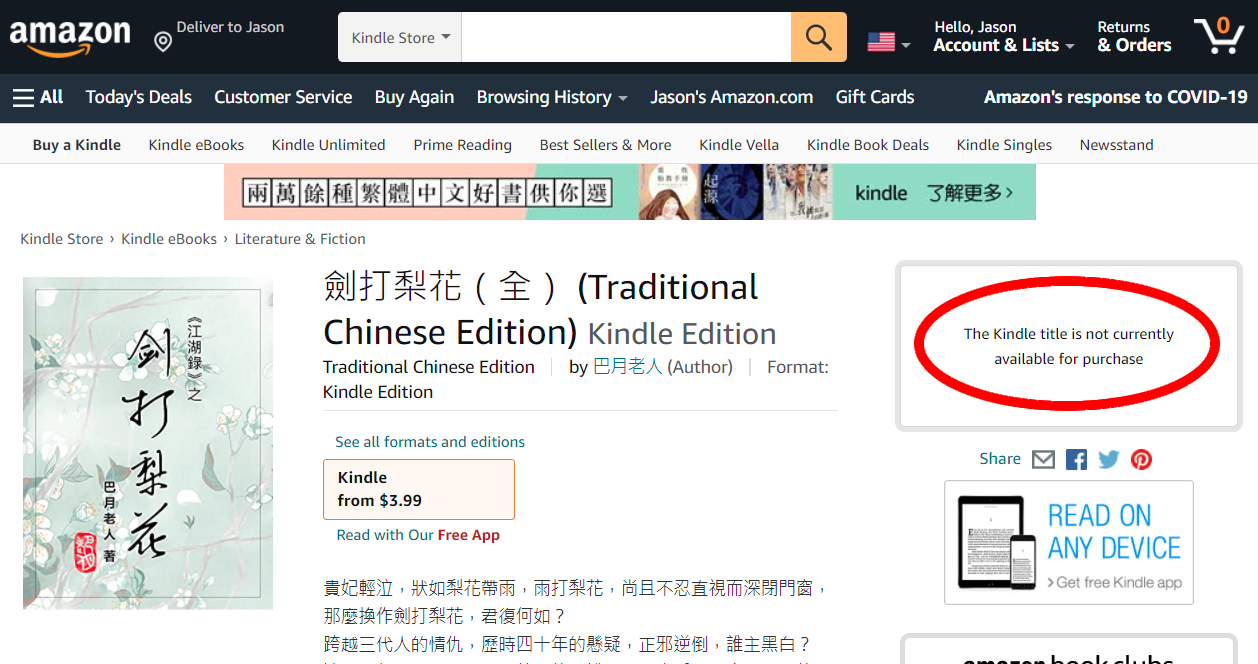
1- 前往 https://amazon.com,登錄您的賬號。
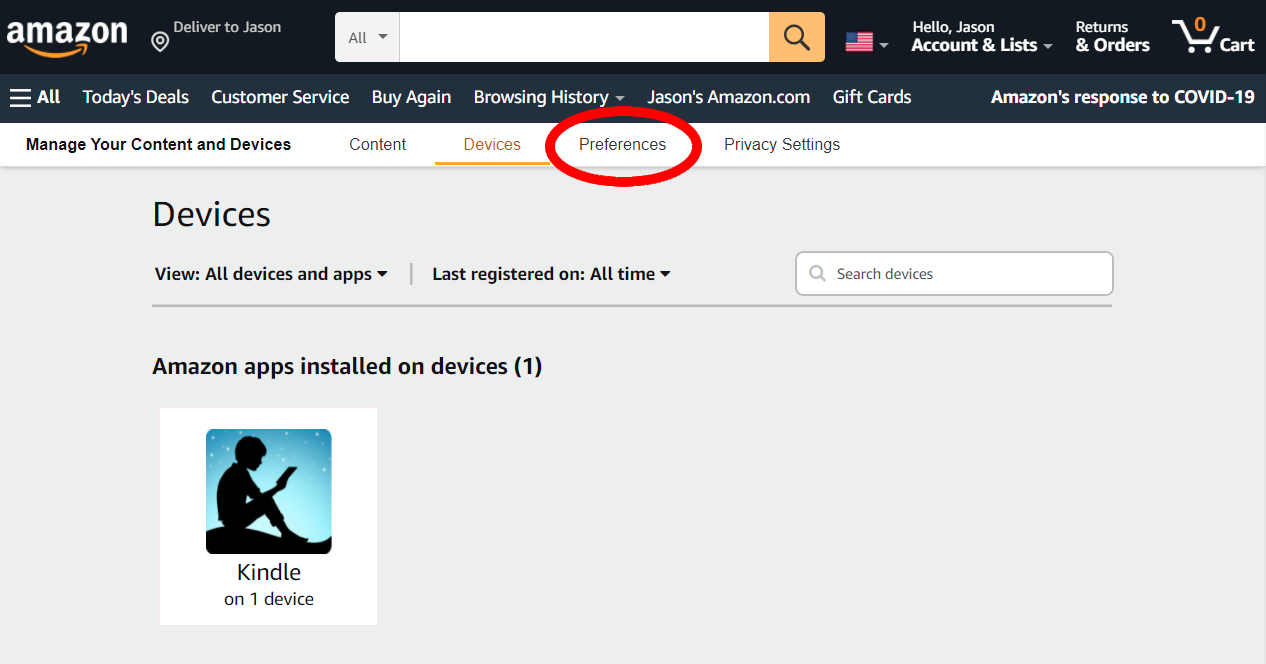
2- 前往 https://amazon.com/mycd,點擊「Preferences」。
您也可以通過以下選項路徑抵達此頁:
Account ► Devices and Content ► Manage Digital Content ► Preferences
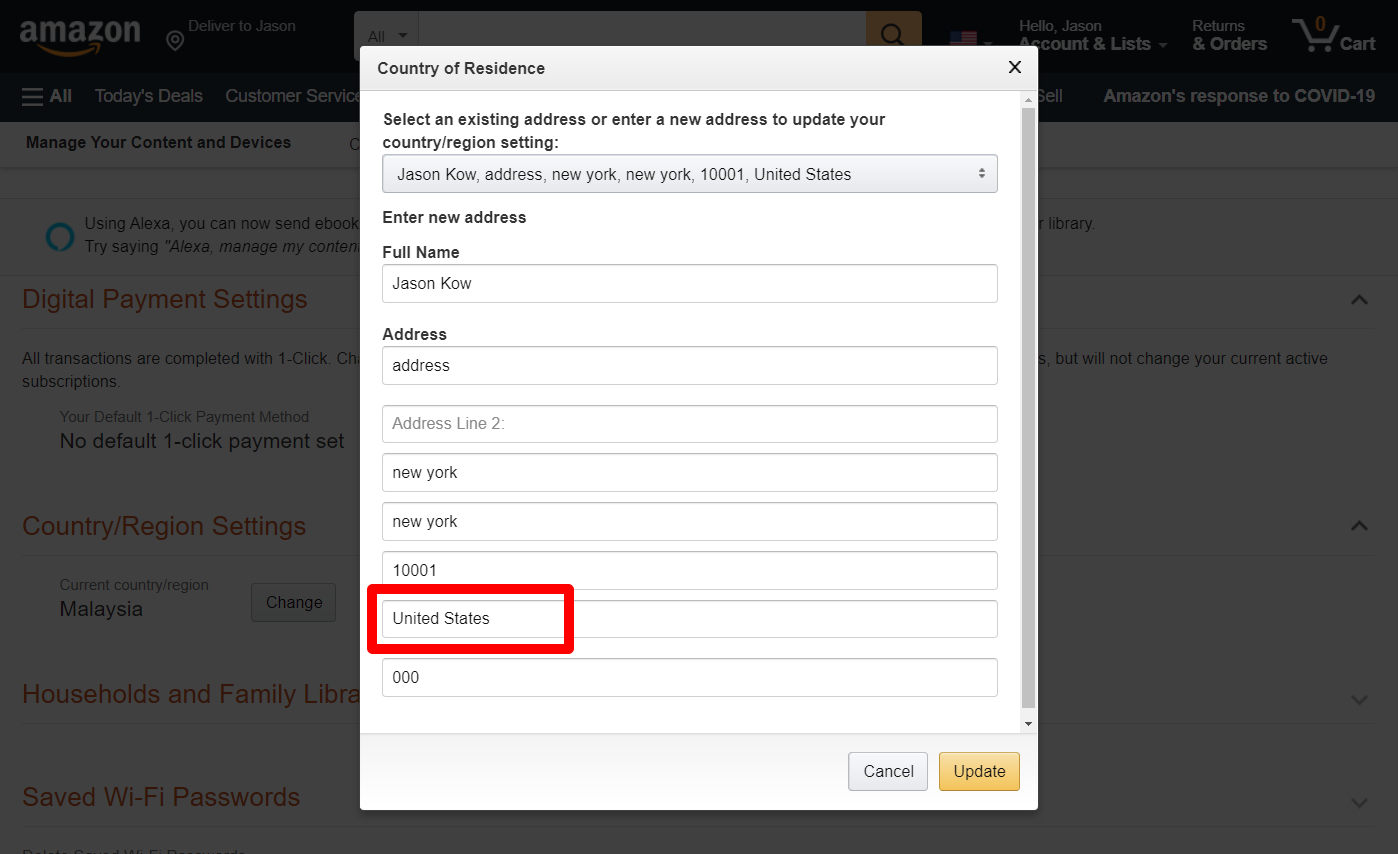
3- 點擊「Country/Region Settings」,然後「Change」按鈕。
重點在此:選擇「United States」(如圖)。
填入其它必填項後,按「Update」儲存。
注:這不影響您以後在亞馬遜購買其它實物商品時的送貨地址。
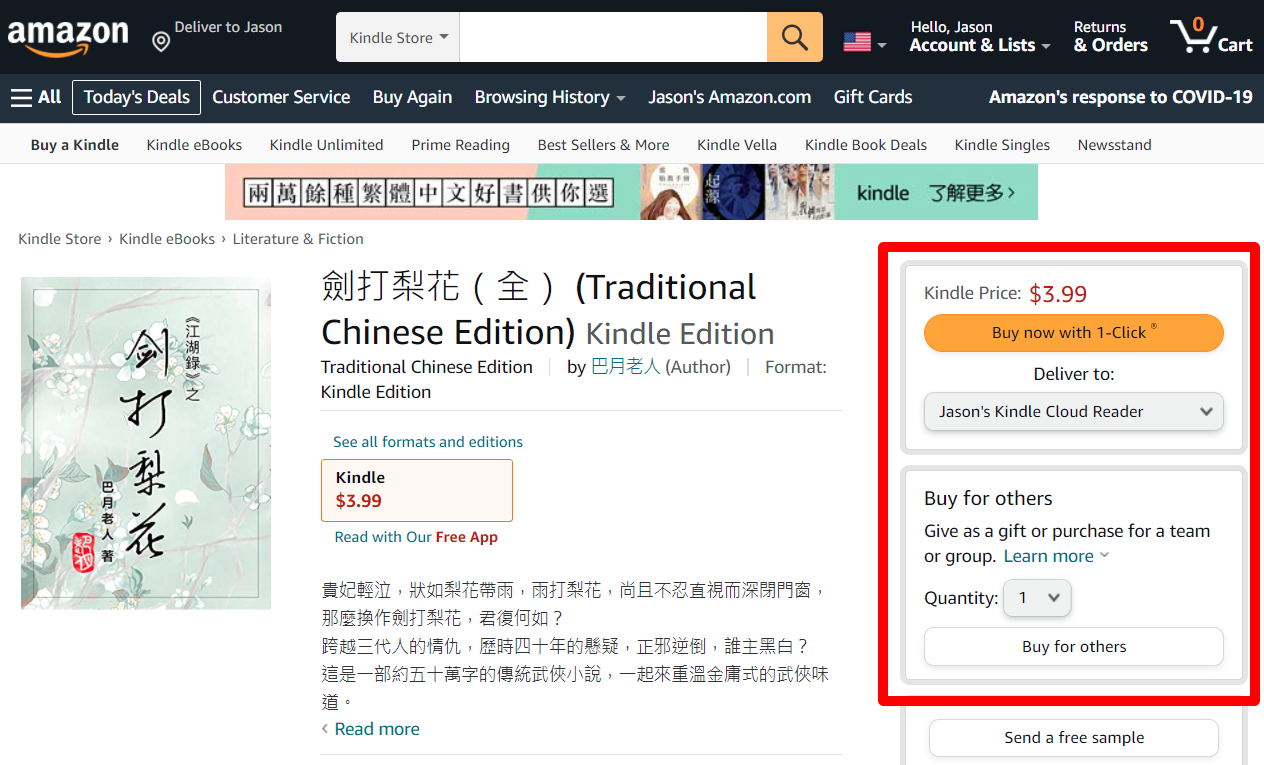
4- 重新回到亞馬遜主頁,通過搜索或以下鏈接再次進入電子書頁面,就會看見購買選項。
拙作《劍打梨花》:
https://www.amazon.com/dp/B09FZD4C1L
注:以上步驟以 Amazon.com 和 United States 為列子。如果您身在其它下列亞馬遜支援的國家,也可把進入相應的亞馬遜網站,把 Country 設為該國家,然後進行購買。
- US Kindle Store, Amazon.com: United States
- UK Kindle Store, Amazon.co.uk: United Kingdom (including Guernsey, Isle of Man, Ireland, Gibraltar, and Jersey)
- DE Kindle Store, Amazon.de: Austria, Germany, Liechtenstein, Luxembourg, and Switzerland
- FR Kindle Store, Amazon.fr: France, Monaco, Belgium, Switzerland, and Luxembourg
- ES Kindle Store, Amazon.es: Andorra, Spain
- IT Kindle Store, Amazon.it: Italy, San Marino, Vatican City, and Switzerland
- JP Kindle Store, Amazon.co.jp: Japan
- NL Kindle Store, Amazon.nl: Netherlands
- BR Kindle Store, Amazon.com.br: Brazil
- MX Kindle Store, Amazon.com.mx: Mexico
- CA Kindle Store, Amazon.ca: Canada
- IN Kindle Store, Amazon.in: India
- • AU Kindle Store, Amazon.com.au: Australia


